 SweeperX
Contacts Cleanup, and the storage it honestly doesn’t free
Duplicate contacts arrive the ordinary way: you imported from a SIM, restored a backup, linked an account, saved someone twice under two spellings. The result is a list where searching for a name returns three of them and only one has the mobile number.
Contacts Cleanup groups those and merges them. What it will not tell you is that this recovers space. A contact card is a few hundred bytes. Clearing four hundred duplicates saves less than a single photo. The app’s own impact screen reports the result as “No storage freed”, which is the accurate answer.
How the merge works
Entries are grouped when they plainly describe the same person — matching names, shared phone numbers, shared email addresses. Each group is presented for review before anything changes.
Merging is additive. The merged card keeps every distinct field from every entry in the group: both phone numbers, both addresses, the photo from whichever card had one. Nothing is dropped because one card was arbitrarily declared the winner. Where two entries hold genuinely conflicting values for the same field, both are kept rather than one silently chosen.
Each group shows the entries side by side with the phone number or address they share, which one is currently marked as the keeper, and a preview of what the surviving card will hold once merged. If the group is wrong, Not Duplicates dismisses it and it does not come back.
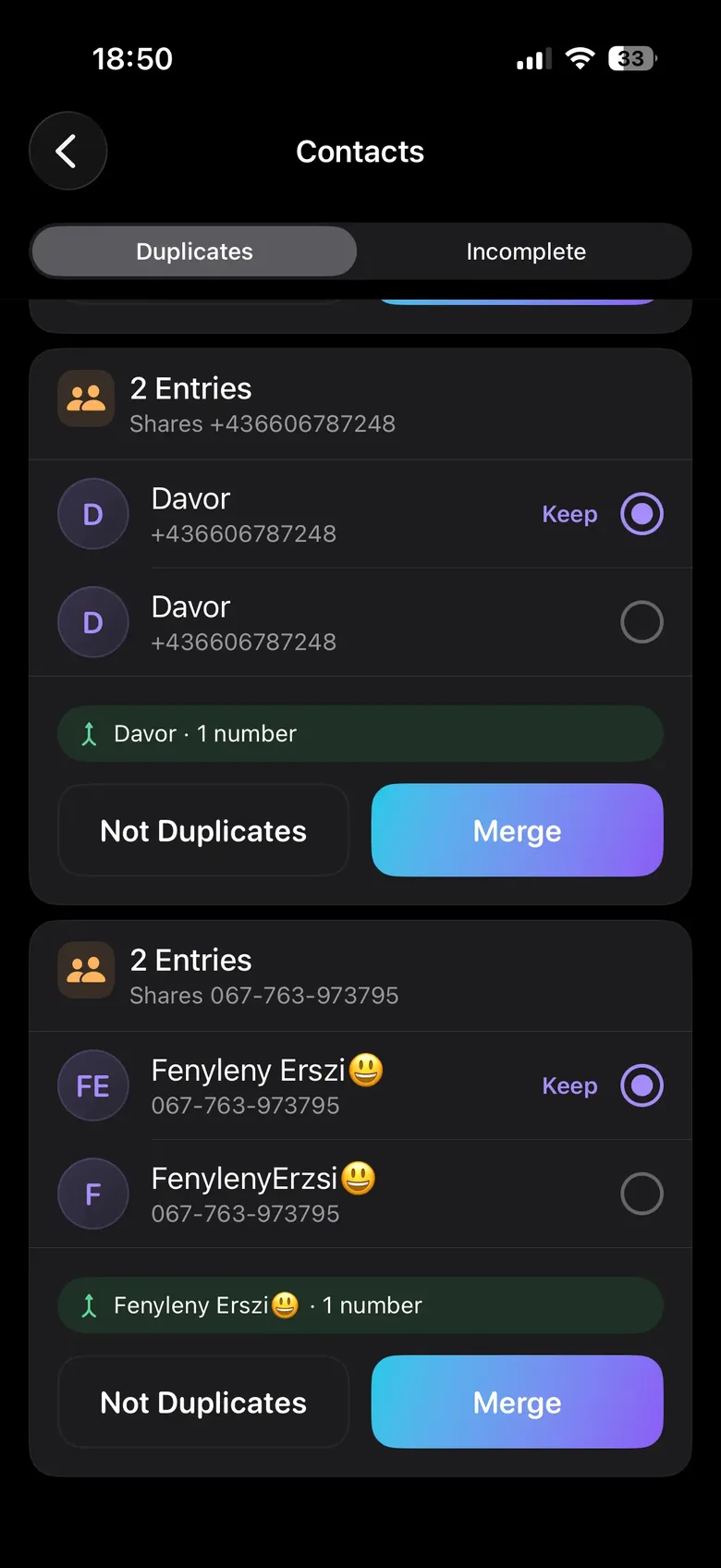
Reviewed like everything else
Groups are staged for your confirmation. You can skip any group, and skipping is the right answer for the cases that look like duplicates and are not — a father and son with the same name, two colleagues sharing an office line, a personal and a work card you keep apart on purpose.
Contacts are removed through the system Contacts framework, so if your contacts sync with iCloud or a Google account, the merge propagates the way any edit made in the Contacts app would. That is worth knowing before you run it on a shared account.
What it will not do
- It will not free meaningful storage. Stated twice on purpose, because the category routinely implies otherwise.
- It will not merge without review. There is no automatic pass.
- It will not upload your address book. The comparison runs on the device. In a category where contact lists have been harvested for years, this is the part worth checking rather than believing: run the App Privacy Report test.
Read next: How to Clean Up Duplicate Contacts on iPhone — including the merge iOS already offers, and why it finds fewer than you would expect.