 SweeperX
Everything SweeperX does, and what it deliberately doesn’t
An iPhone runs out of space in a handful of predictable ways: the same photo saved four times, a 400 MB video of nothing, two years of screenshots, a folder of files you downloaded once. SweeperX has a separate tool for each of those, because they are separate problems with separate right answers, and a single “clean” button that treats them the same is how people lose photos they wanted.
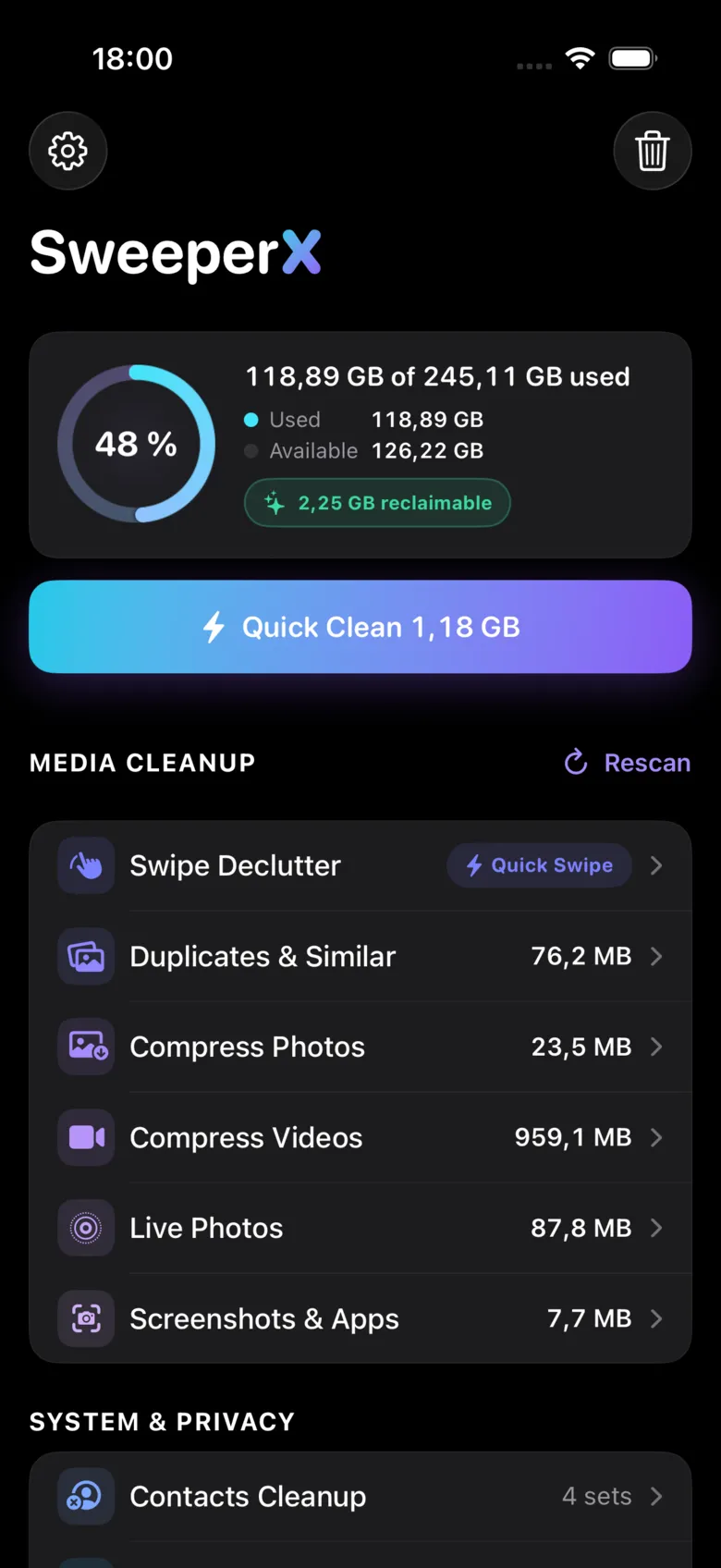
Media cleanup
-
Duplicates & Similar
Groups exact copies and near-identical shots from the same moment, picks the sharpest as the keeper, and lets you change its mind before anything is staged.
-
Swipe Declutter
One photo at a time, keep or discard, for the library nothing can group automatically. Discards go to the review bin, not to deletion.
-
Compress Photos
Re-encodes oversized stills at a quality you choose. The new file is written and verified before the original is ever offered for removal.
-
Compress Videos
Three quality profiles and a size threshold, with the estimated saving shown per video before you select anything. Usually the largest single win on the phone.
-
Live Photos
Converts a Live Photo to a still by dropping the three-second video attached to it. The picture you framed is unchanged.
-
Screenshots & Apps
Screenshots, media that messaging and social apps saved into your library, and oversized videos, gathered into one reviewable list.
Files and system
-
Large Files & Archives
Scans “On My iPhone” for the biggest files and archives, and lets you add any other folder you want watched.
-
Secret Space
An AES-256 vault whose key lives in your iPhone’s Keychain. We hold no copy, which means we also cannot help you if you lose yours.
-
Contacts Cleanup
Merges duplicate contacts without inventing a winner. Frees no storage worth measuring, and the app says so.
What every one of them has in common
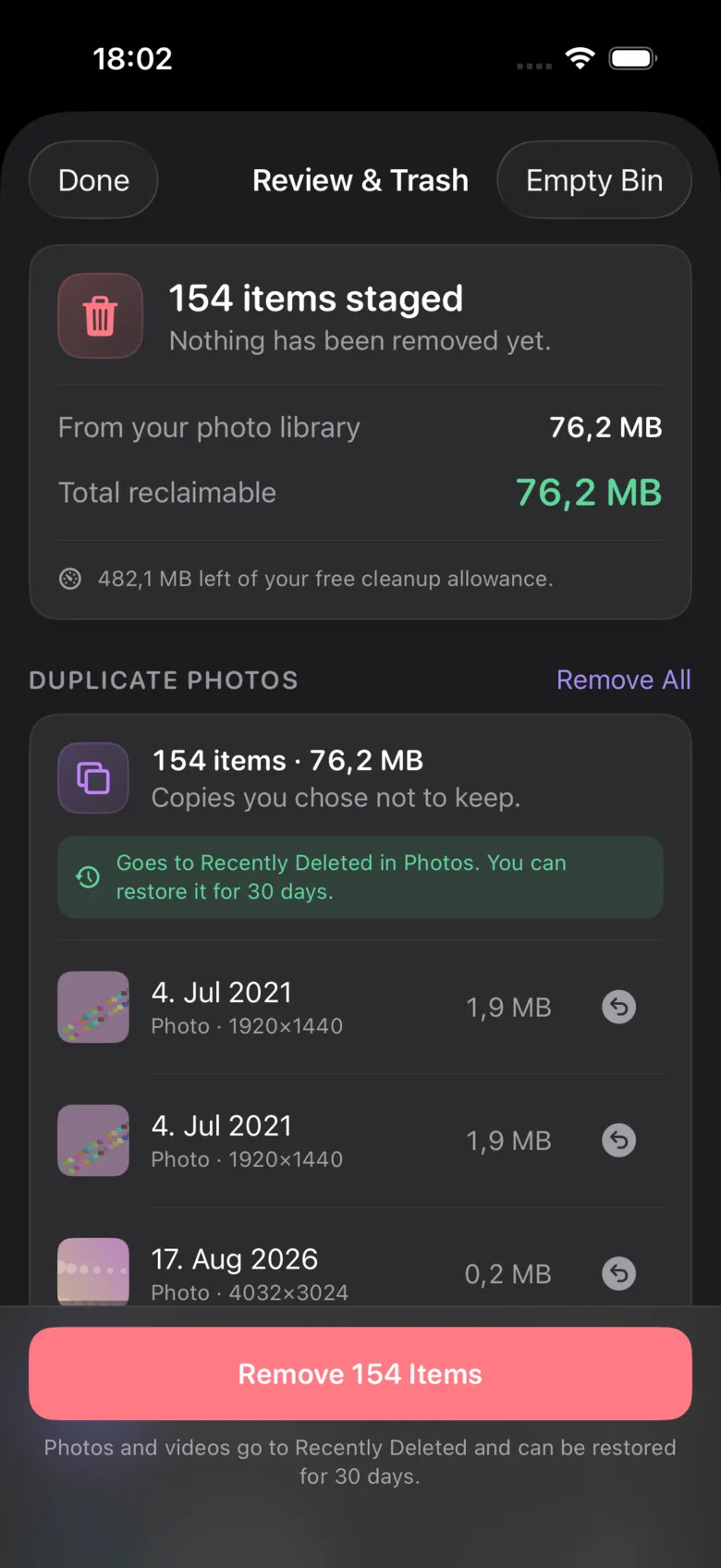
Nothing is deleted at the moment you tap it. Every tool stages its selections into one review bin. You open the bin, scroll the whole list, undo anything individually, and confirm the batch. Photos and videos then go to the Photos app’s Recently Deleted album, where iOS holds them for 30 days. That is two undo steps before anything is permanent, and it is also why your storage number moves later than you expect.
None of them makes a network request. Matching, compression, encryption and deduplication all run on the phone’s own processor. You can verify that in about thirty seconds: turn on Airplane Mode and use the app normally, or check the App Privacy Report, where the only domain listed for SweeperX is Apple’s own StoreKit host, contacted when the purchase goes through.
The free tier is not a trial. The first 500 MB of reclaimed storage and five Secret Space items cost nothing and do not expire. Beyond that, SweeperX Pro is $12.99 once: no renewal, no subscription, no account.
The two that only ever report
Neither of these removes anything. They exist so that the ten tools that do are answerable to a number you can check.
-
Lifetime Impact
Every megabyte you have reclaimed, totalled and broken down by which tool recovered it — including the tool that honestly reports no storage freed. It is also the counter the 500 MB free tier is measured against.
-
Home Screen Widgets
Free space, and what is currently worth clearing, on your Home Screen. Three widgets, no notifications, and no background scanning — which is also why the figure is a recent reading rather than a live one.
Not sure where to start? Compress Videos is usually the biggest single win on a full phone, and Duplicates & Similar is the one most people are surprised by.