 SweeperX
Duplicate and similar photos, with the keeper already chosen
Two different problems get filed under “duplicates”. The first is the same file saved twice: you edited a photo and saved a copy, an app re-downloaded an image you already had, a backup restored something that never left. Those are byte-for-byte identical and safe to collapse to one.
The second is a burst. You took nine photos of the same thing in four seconds because one of them would be sharp. All nine are still there. They are not duplicates in any strict sense, and that is exactly why iOS mostly leaves them alone — which is why the Photos app finds so much less than you expect.
What it groups
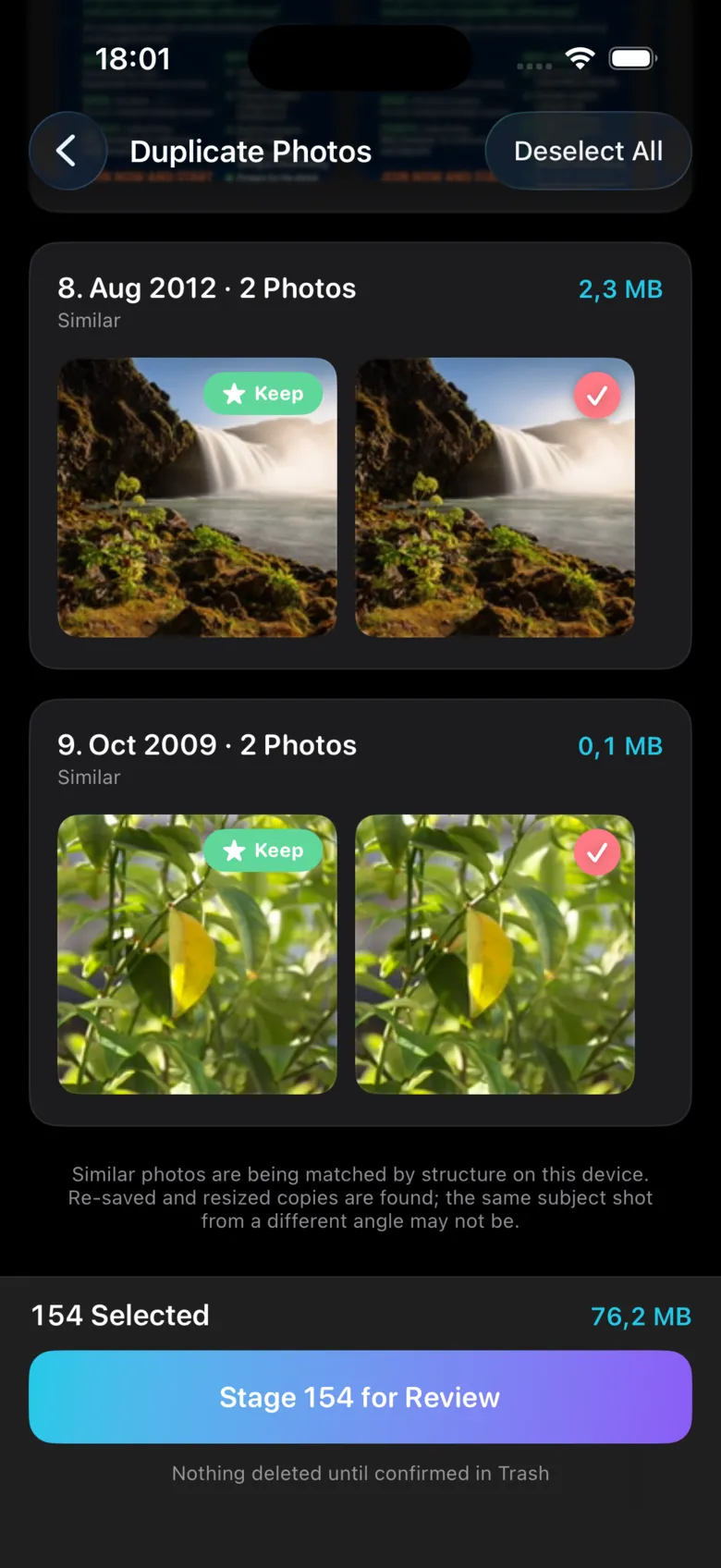
SweeperX matches photos by their visual structure, on the device. Re-saved and resized copies of the same image are found reliably. So are frames from the same burst, shot seconds apart from the same position. The same subject photographed from a different angle is a different picture, and it is not grouped — the app says so on the screen rather than in the small print.
How the keeper is chosen
Every group opens with one frame already marked Keep, and the rest ticked for removal. The keeper is the frame that scores best on sharpness and resolution — the shot you were trying to get when you took nine of them.
You can override it on any group, in either direction: promote a different frame, or untick everything and keep the lot. The app is making a suggestion, not a decision. Group headers show the date and how many megabytes that group is costing you, so a group you do not care about is quick to skip.
Nothing is removed when you tap it
Selections are staged. You open the review bin, see the whole batch with its total, undo anything individually, and confirm. Confirmed photos and videos go to the Photos app’s Recently Deleted album, where iOS holds them for 30 days — two undo steps before anything is permanent, and the reason your storage figure moves later than you expect.
What it will not do
- It will not delete without you. There is no automatic mode, no “clean everything” that runs unsupervised on the photo library.
- It will not group by subject. Two photos of your dog taken a year apart are two photos, and it treats them that way.
- It will not touch what iCloud hasn’t downloaded without saying so. If Optimise iPhone Storage is on, some originals live in iCloud, and deleting them affects every device on your account.
- It will not send anything anywhere. The matching runs on your phone’s processor. Turn on Airplane Mode and it works identically.
Read next: How to Find and Delete Duplicate Photos on iPhone — the method, including the ways people delete the wrong copy. For everything a matcher cannot group, there is Swipe Declutter.