 SweeperX
Screenshots, saved app media, and the videos you forgot about
A photo library fills up from two directions. You take pictures, and apps put things in it. The second kind is easier to clear because you were never attached to it: a screenshot of a confirmation code from 2023, an image someone sent you in a group chat, a video you downloaded to watch on a flight.
Screenshots & Apps gathers those into one list with sizes, so a category that took years to build up clears in a single pass.
What it covers
- Screenshots. iOS marks them, so they group cleanly and are trivially easy to judge in bulk.
- Media apps saved into your library. Images and videos that messaging and social apps wrote into Photos — the ones you never chose to keep, you just received.
- Oversized videos. The large clips sitting in your library that are not worth compressing because you do not want them at all.
- Files under “On My iPhone”. Documents and downloads that apps wrote into Files, which you can browse and select in the app.
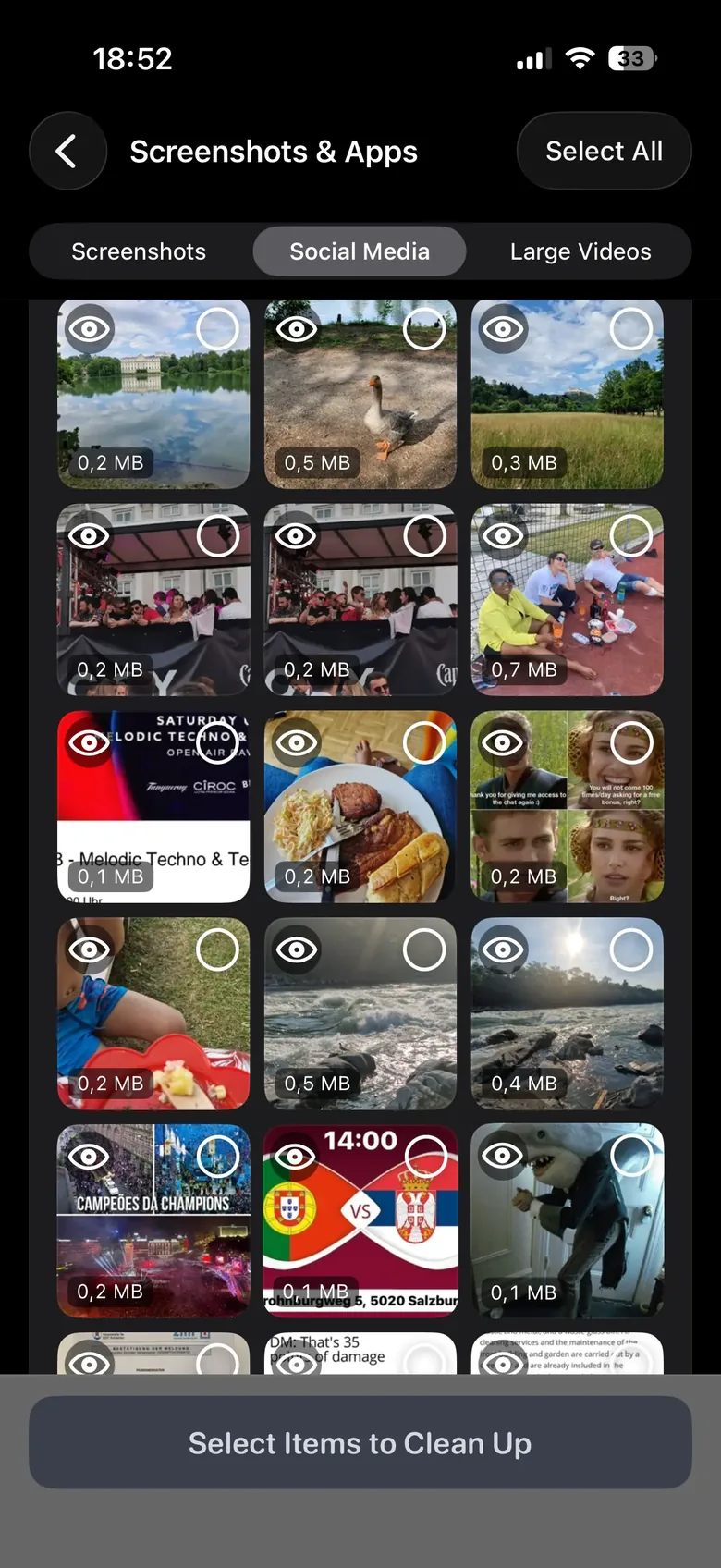
Those arrive as three tabs over one grid, with the size printed on every thumbnail and an eye on each one to see the full picture before you decide. Sorting by size is what makes the pass quick: the 0.1 MB memes and the 40 MB clip you were sent once are not worth the same amount of your attention.
What iOS does not permit, and neither do we
This is worth being exact about, because the category’s marketing routinely is not. No third-party iPhone app can reach inside another app’s private storage. SweeperX cannot clear WhatsApp’s internal cache, cannot purge Instagram’s temporary files, and cannot delete apps for you. Any cleaner claiming to “clean junk files” across your apps is describing something iOS does not allow.
What it can reach is what you can reach: your photo library, and the files under “On My iPhone” that apps wrote where you can see them. That is a smaller claim, and it is the true one. To clear an app’s own cache, offload or reinstall it from Settings → General → iPhone Storage.
Nothing is removed when you tap it
Selections are staged. You open the review bin, see the whole batch with its total, undo anything individually, and confirm. Confirmed photos and videos go to the Photos app’s Recently Deleted album, where iOS holds them for 30 days — two undo steps before anything is permanent, and the reason your storage figure moves later than you expect.
One exception is worth knowing before you confirm: files removed from “On My iPhone” do not go to Recently Deleted, because the Files app has no such album. Those go immediately, and the app tells you so at the point of confirmation rather than afterwards.
Related: Large Files & Archives goes deeper into the Files side, including adding folders of your own for scanning.